Technology and Tools for Managing Type 2 Diabetes
By Editorial Team · November 16, 2026
How Technology Can Support Diabetes Care
Managing type 2 diabetes often involves several daily decisions, including what to eat, how much to move, and when to take medication. Technology can help people track patterns and share information with their care team. It does not replace medical advice or make every decision automatically, but the right tools may make routines easier to understand and maintain.
Some tools measure blood glucose, while others record meals, activity, medication, or appointments. A person may use one device or combine several, depending on their treatment plan, preferences, budget, and access to care. The most useful option is generally one that fits into everyday life and provides information someone can act on.
Blood Glucose Meters and Continuous Monitors
A blood glucose meter measures glucose from a small drop of blood, usually taken from a fingertip. The result is a snapshot of glucose at that moment. A clinician may recommend checking at particular times, such as before meals, after meals, or when symptoms occur. Keeping a log can help connect readings with meals, activity, stress, illness, or medication.
Continuous glucose monitors, or CGMs, use a small sensor worn on the body to estimate glucose levels throughout the day and night. Many show recent trends and can alert users when levels are outside a set range. Some systems send readings to a phone or receiver, and certain models can share data with caregivers or clinicians.
CGMs may be useful for some people with type 2 diabetes, including those who use insulin or need more detailed information about glucose patterns. They are not necessary for everyone, and coverage, cost, and eligibility vary. Sensor readings can differ from blood glucose readings, especially when glucose is changing quickly. Follow the device instructions and ask a clinician when a result does not match how you feel.
Apps, Reminders, and Connected Devices
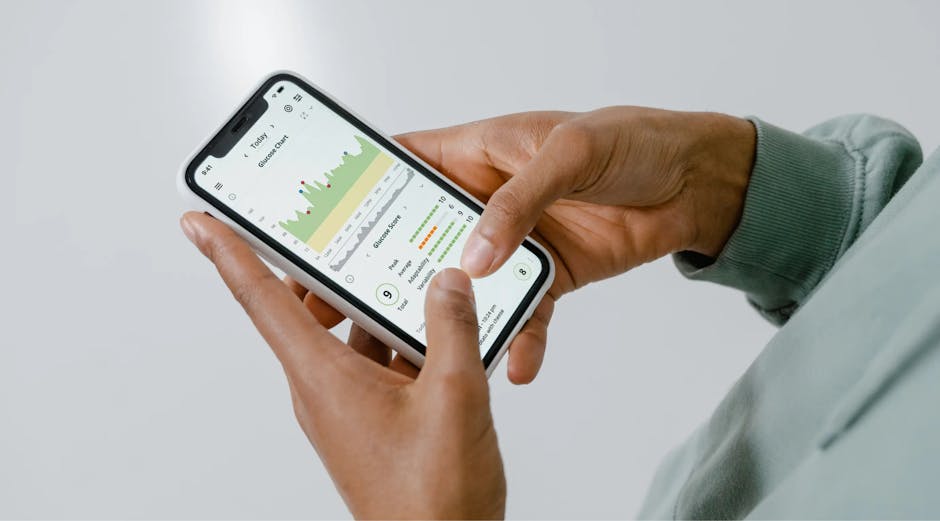
Diabetes apps can help record glucose readings, meals, medication doses, physical activity, or symptoms. Some create charts that make recurring patterns easier to spot. Others offer medication reminders, appointment prompts, or ways to share reports. A simple notes app or paper log may work just as well for someone who prefers fewer features.
Connected scales, blood pressure monitors, and activity trackers can add information about other parts of health. Step counts and movement reminders may encourage regular activity, while a blood pressure log can support discussions about cardiovascular risk. These devices vary in accuracy and should not be treated as diagnostic tools unless a clinician recommends a specific model and explains how to use it.
Before choosing an app or device, consider ease of use, language options, accessibility features, data-sharing settings, and ongoing fees. Check whether it works with a phone or other equipment you already own. Health information is sensitive, so review privacy policies and decide whether automatic sharing is appropriate. Avoid relying on app-generated treatment advice without confirming it with a qualified health professional.
Using Data in Daily Decisions
Tracking is most helpful when it answers a clear question. For example, a person might want to learn how a particular breakfast affects glucose, whether a short walk changes readings, or whether a medication reminder improves consistency. Recording every detail can become tiring, so it may help to focus on a few measures that relate to a current care goal.
Patterns are more informative than isolated numbers. A clinician can help interpret repeated highs or lows in the context of medication, meals, sleep, activity, and other health conditions. Do not change medication doses based on a device or app unless the care plan specifically gives instructions for doing so. Seek medical guidance about concerning readings, symptoms, or repeated changes.
Choosing Tools With a Care Team
Ask a clinician which measurements are useful, how often to collect them, and what to do with the results. A diabetes educator or pharmacist may also help with device setup, meter technique, app use, or insurance questions. If a tool feels confusing, uncomfortable, or burdensome, say so. Another approach may be a better fit.
Costs and access deserve attention before starting. Ask about insurance coverage, supplies, replacement schedules, and lower-cost alternatives. Some people may need help with smartphone access, internet service, vision, dexterity, or language. A tool should support care without adding unnecessary stress.
Technology works best as part of a broader plan that may include medication, nutrition, physical activity, sleep, and regular checkups. Start with a practical need, choose a tool that meets it, and review the information with a care professional. The goal is not to collect the most data, but to make diabetes care more manageable and informed.
Related articles

How to Find Full Mouth Dental Implants Near You
Learn what full mouth dental implants involve, how to compare local providers, what affects cost, and which questions to ask before treatment

Medicare Supplement Plans Explained
Learn how Medicare Supplement plans work, what they may cover, how pricing varies, and what to consider when comparing policies and enrollment options

Leading Diabetes Device Trials Explained
Learn how clinical trials assess diabetes devices, what leading studies measure, and how participants can weigh safety, benefits, and practical trade-offs